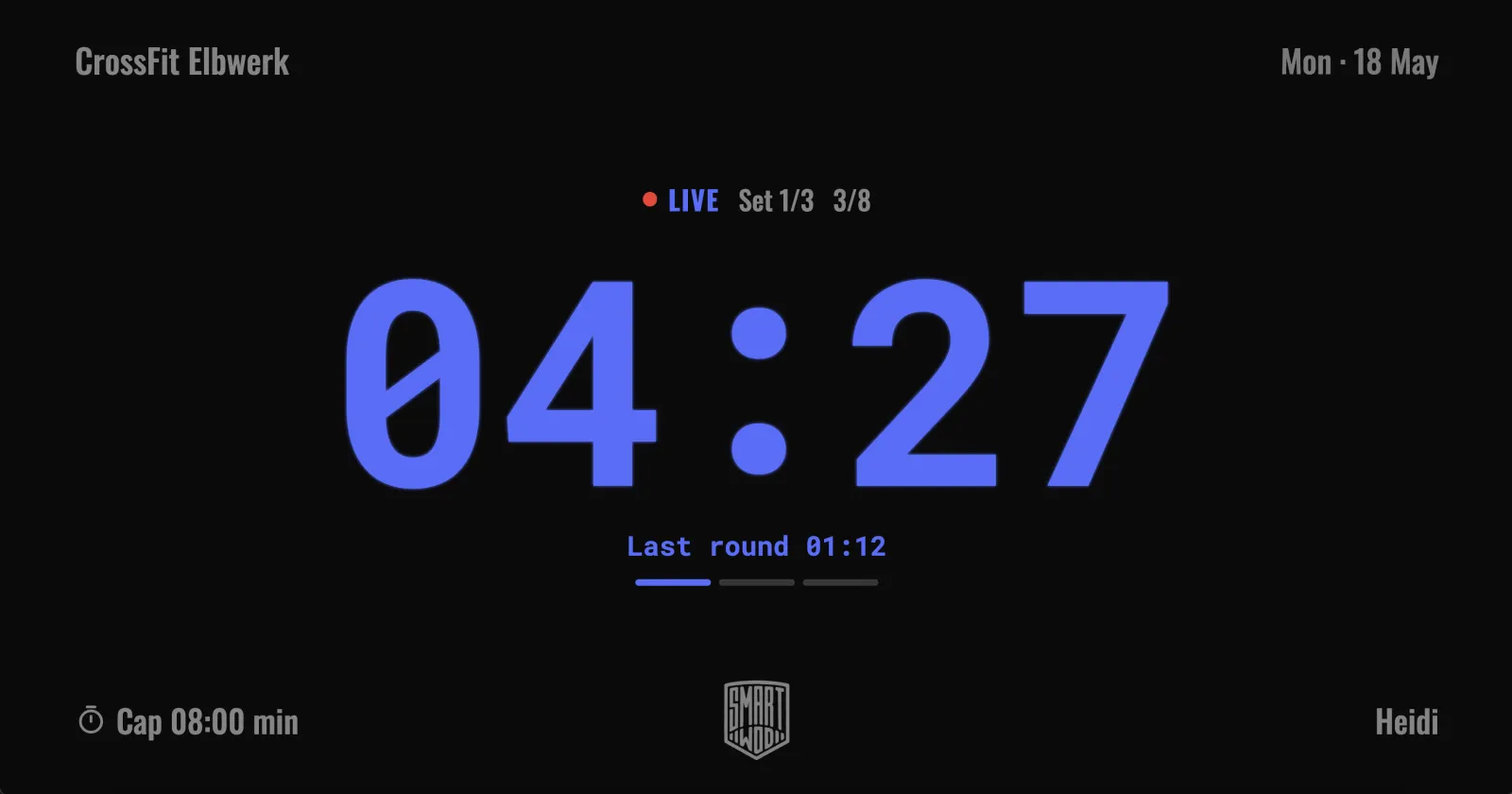
Every box knows the problem: ten athletes, one WOD — and everyone squinting at a tiny phone propped against a water bottle. The SmartWOD Box Timer fixes that. With TV Cast, the SmartWOD Timer app puts a full-screen workout timer on your gym TV — including the day's workout text, your box logo and your coach's name. Your phone stays in your hand as the remote.
TV Cast works with all timer formats — AMRAP, EMOM, TABATA, FOR TIME and mixed workouts — and is part of SmartWOD Premium, with a free trial so you can test it with your class first.
What the TV shows
- Full-screen timer with set progress and a clear LIVE indicator — readable from the last corner of the gym.
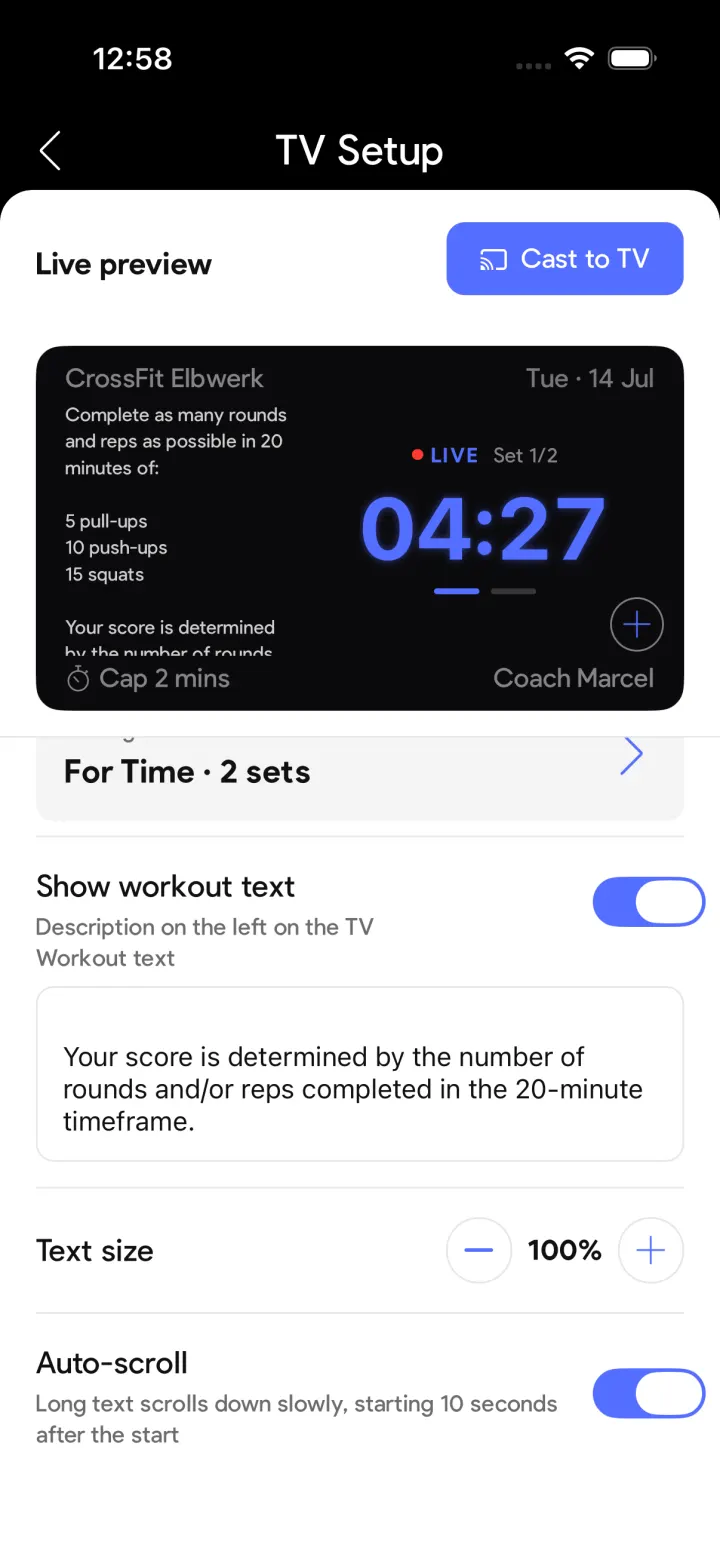
- The WOD next to the clock: paste the workout text and it appears on the left of the TV, with adjustable text size and slow auto-scroll for long workouts.
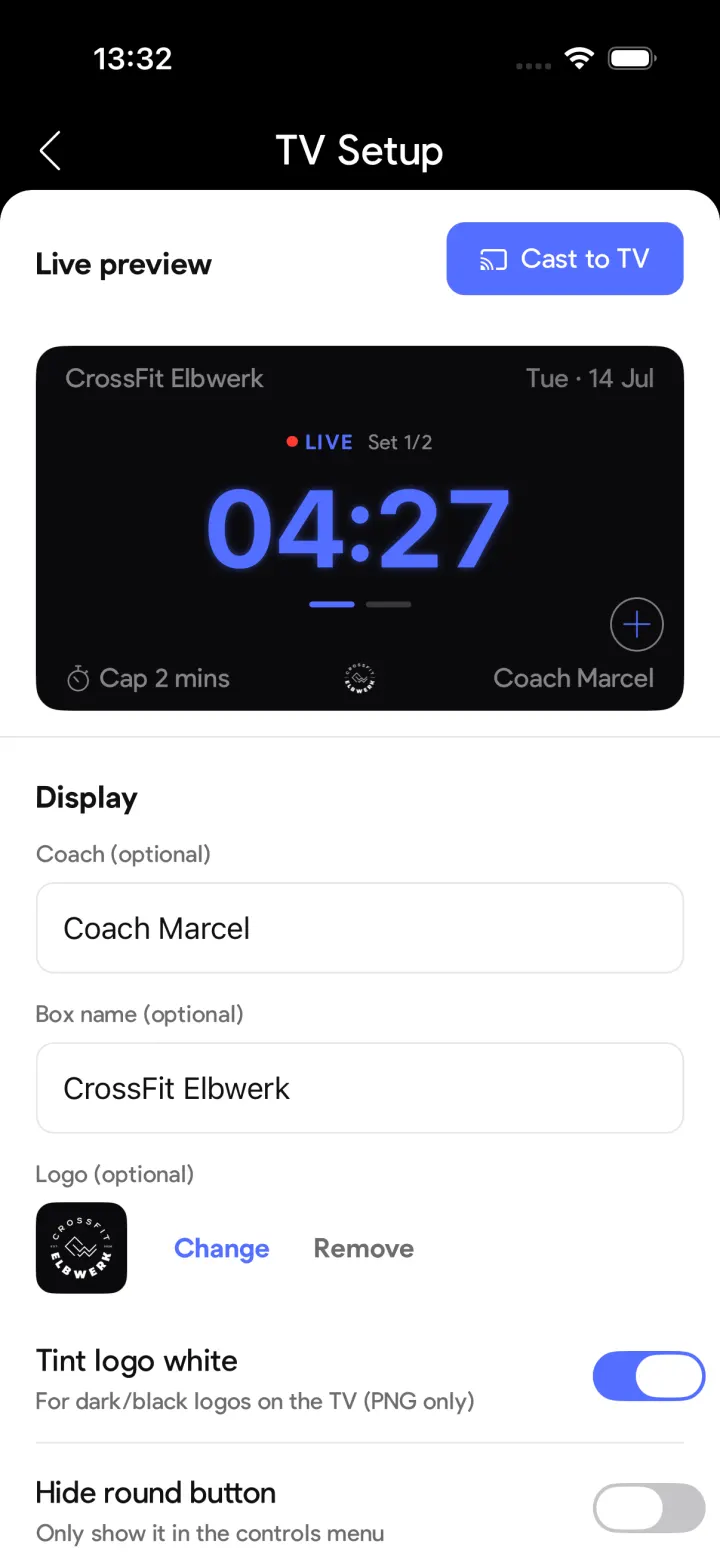
- Your box branding: box name, coach name and your own logo (dark logos can be tinted white).
- Live round tracking for AMRAP and FOR TIME — tap the round button on your phone and the TV shows the count and your last-round split.
- Sound where you want it: route beeps and voice announcements to the TV, the phone, or both.
Which TVs work?
Option 1: Chromecast & Google TV — the phone becomes a remote
With Google Cast the app pushes its own display to the TV — crisp, full-screen and independent of your phone screen. This works with:
- Chromecast dongles and Chromecast with Google TV / Google TV Streamer plugged into any TV
- TVs with Chromecast built-in (Android TV / Google TV): Sony Bravia (2017 and newer), Philips (2018 and newer), TCL and Hisense Google-TV models, Sharp, Xiaomi and other Android-TV brands
- Nvidia Shield TV and other Android-TV streaming boxes
Heads-up: some TCL and Hisense models run Roku or Fire TV instead of Google TV — those don't have Chromecast built-in. For them, simply use screen mirroring.
Option 2: Screen mirroring — works with any TV
No Chromecast around? Mirror your phone instead — the app shows the same landscape TV display on your phone and the TV duplicates it:
- iPhone / iPad: AirPlay to an Apple TV or to AirPlay-2-capable TVs (Samsung from 2018, LG from 2019, Sony from 2019, Vizio and others)
- Android: Samsung Smart View, LG Screen Share or any Miracast-based screen mirroring
Set up your box timer in two minutes
1. Open the TV setup
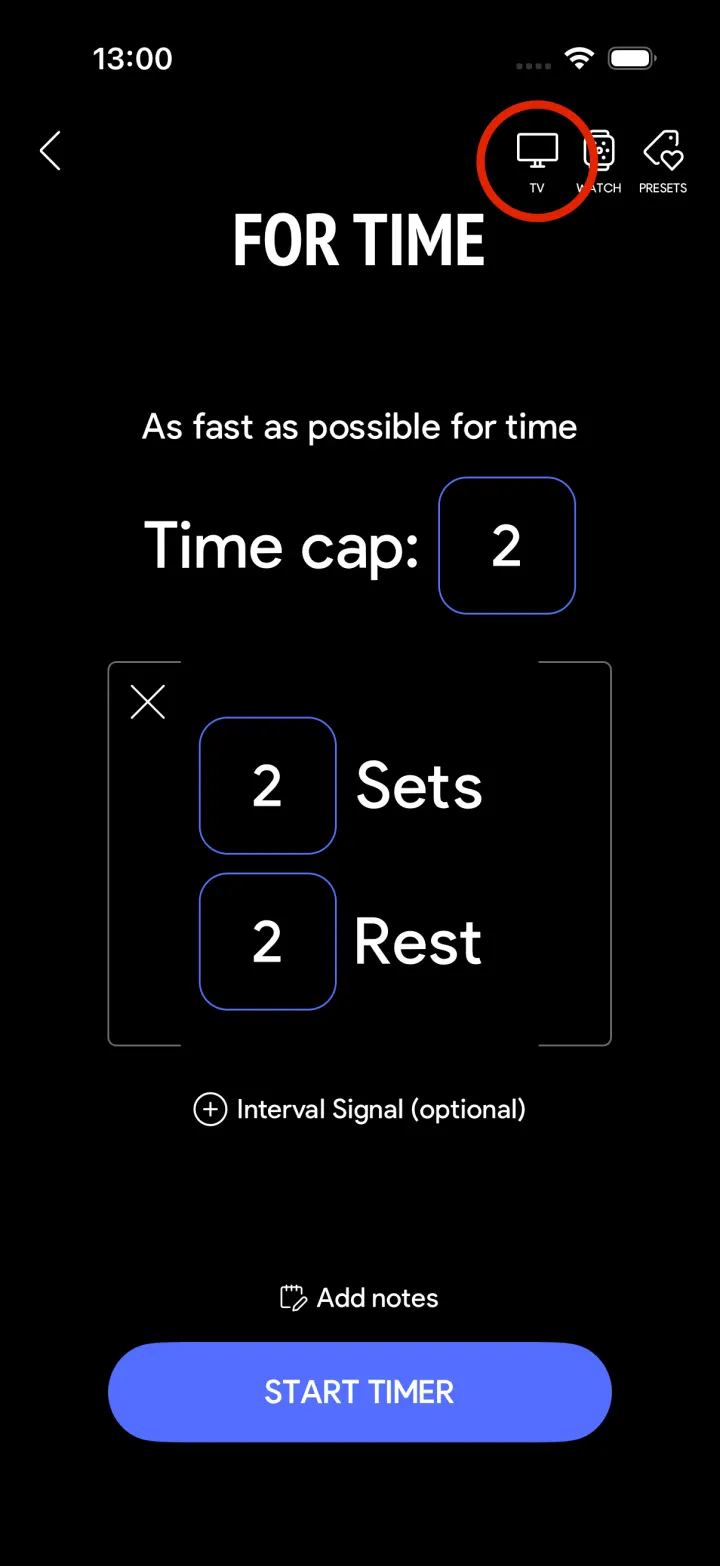
Pick your format — AMRAP, EMOM, TABATA or FOR TIME — and tap the TV icon in the top right corner of the timer screen.
2. Connect to your TV
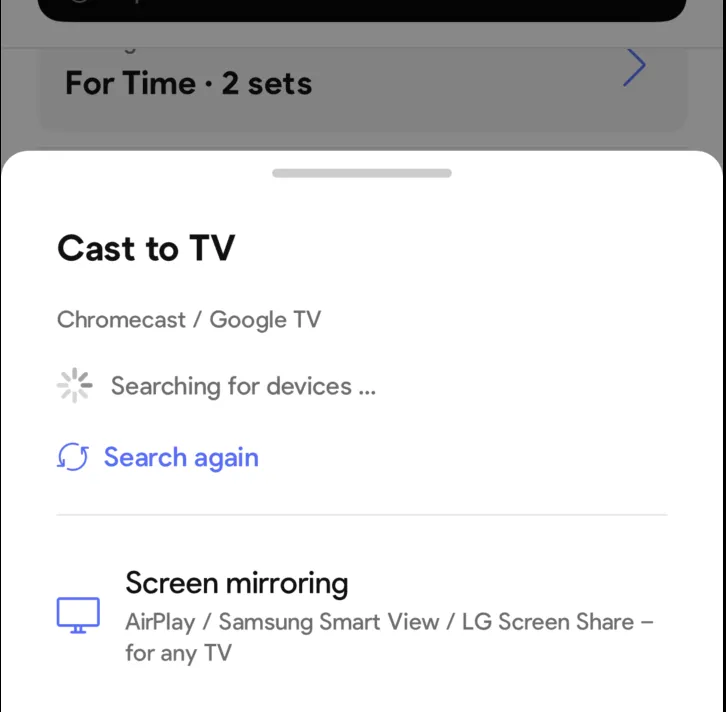
Choose your Chromecast / Google TV device from the list — or tap screen mirroring to use AirPlay, Samsung Smart View or LG Screen Share with any other TV.
3. Add your box branding
Enter your box name and coach name and upload your logo. Dark logos can be tinted white so they stay visible on the dark TV display.
4. Show the WOD on screen
Paste the workout text — it appears on the left of the TV next to the timer. Adjust the text size and enable auto-scroll for long workouts; the live preview shows exactly what your class will see.
5. Start the timer
Hit start — the TV shows the full-screen timer with sets and live rounds while your phone keeps full control: start and pause, skip rest periods, count rounds, finish the workout. At the end, the result lands in your workout log automatically.
FAQ
Which TVs work with the SmartWOD Box Timer?
Any TV with Chromecast built-in — for example Sony, Philips, TCL, Hisense or Sharp models running Android TV or Google TV — or any TV with a Chromecast / Google TV streamer plugged in. Every other TV works via screen mirroring with AirPlay, Samsung Smart View or LG Screen Share.
Do I need SmartWOD Premium for TV Cast?
Yes — TV Cast is part of SmartWOD Premium. You can test the whole feature with the free trial before subscribing.
Can I control the timer while it runs on the TV?
Yes. Your phone stays the remote: start and pause the timer, skip rest periods, count rounds and finish the workout — the TV updates live.
Can I show my own WOD and logo on the TV?
Yes. Add your box name, coach name and logo, and paste the workout text — with adjustable text size and slow auto-scroll for long WODs.