Most workouts don't fit into a single timer. A warm-up, a couple of AMRAP rounds with rest in between, an EMOM finisher — that's four timers and four times fumbling with your phone mid-workout. The MIX timer in the SmartWOD Timer app chains them into one flow that runs from start to finish on its own.
This guide shows how to build a MIX workout, how to reorder and duplicate blocks instead of re-entering them, and how to save the whole thing as a preset so the next session is two taps away.
What fits into a MIX flow
- AMRAP, EMOM, TABATA and FOR TIME — every format the app supports, with their own settings per block.
- Work and rest periods with your own label, for warm-ups, transitions and breaks.
- Rounds that repeat any section of the flow instead of you adding it again.
- Sound and voice announcements that carry across the whole workout, so you never look at the phone.
Build your first MIX in five steps
1. Add your first block
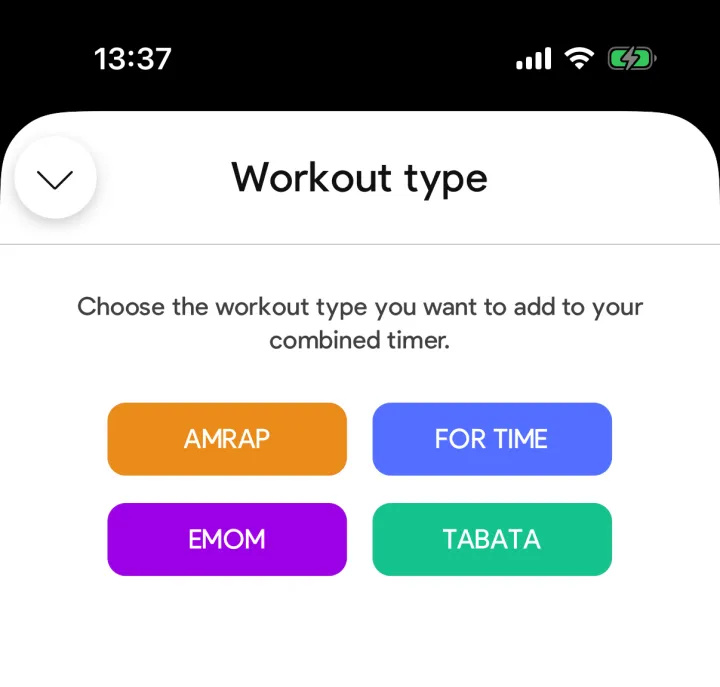
Open MIX and tap + Workout type. Pick AMRAP, EMOM, TABATA or FOR TIME — or add a plain work or rest period instead.
2. Set the time and give it a name
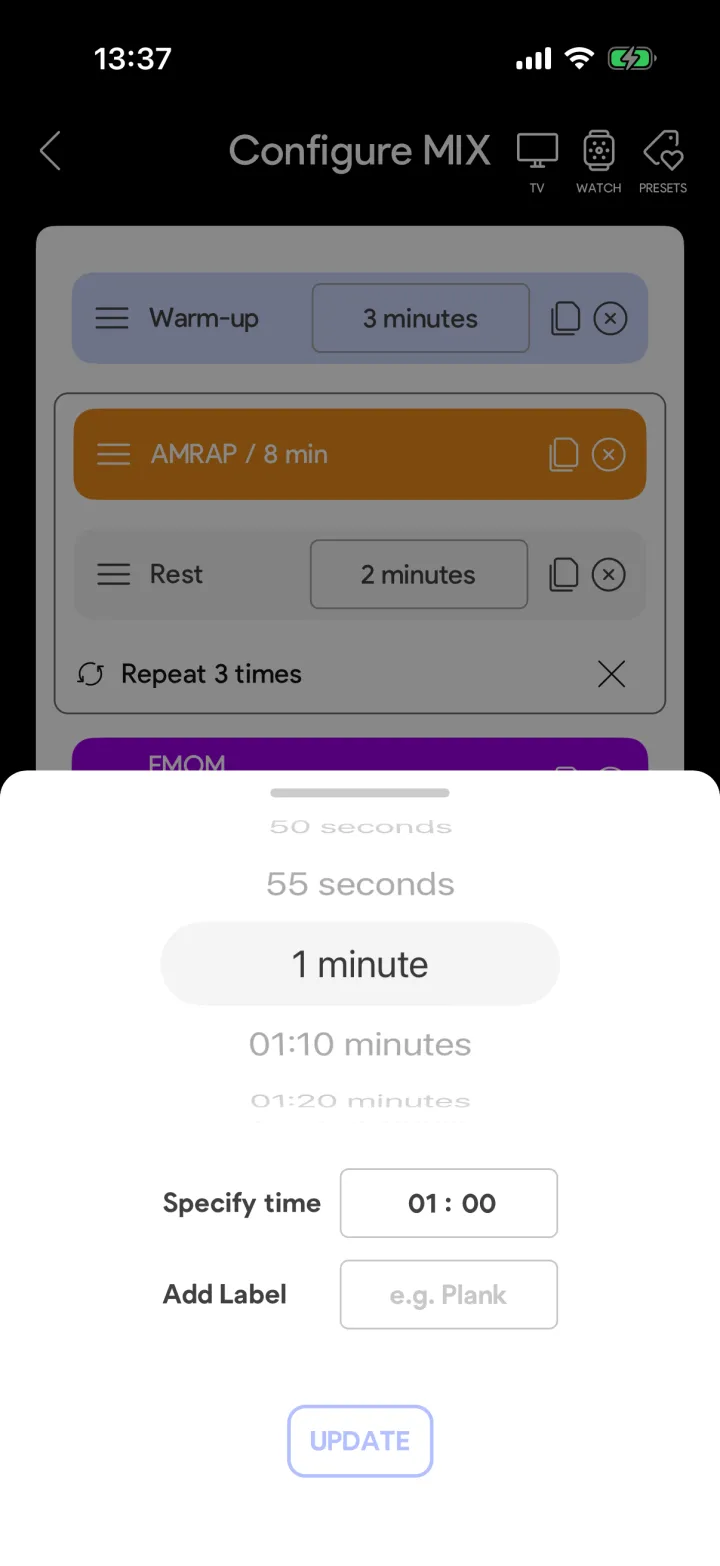
Dial in the duration and add a label like “Warm-up”. The label shows up on the timer while that block runs, so you always know what you are doing.
3. Reorder and duplicate instead of retyping
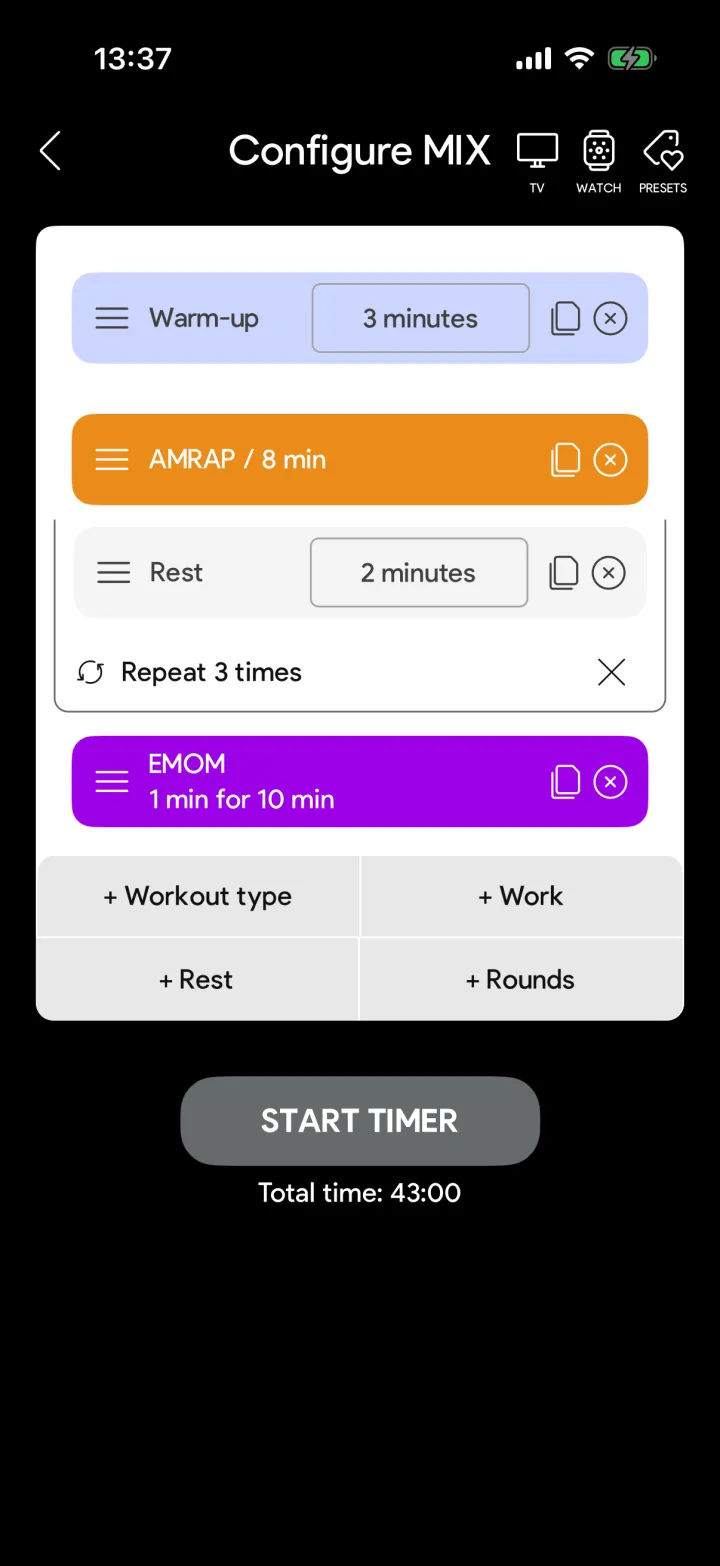
Drag a block by its handle to move it. The copy icon duplicates a block with all its settings — the fastest way to build a workout that repeats with small changes.
4. Repeat a section with rounds
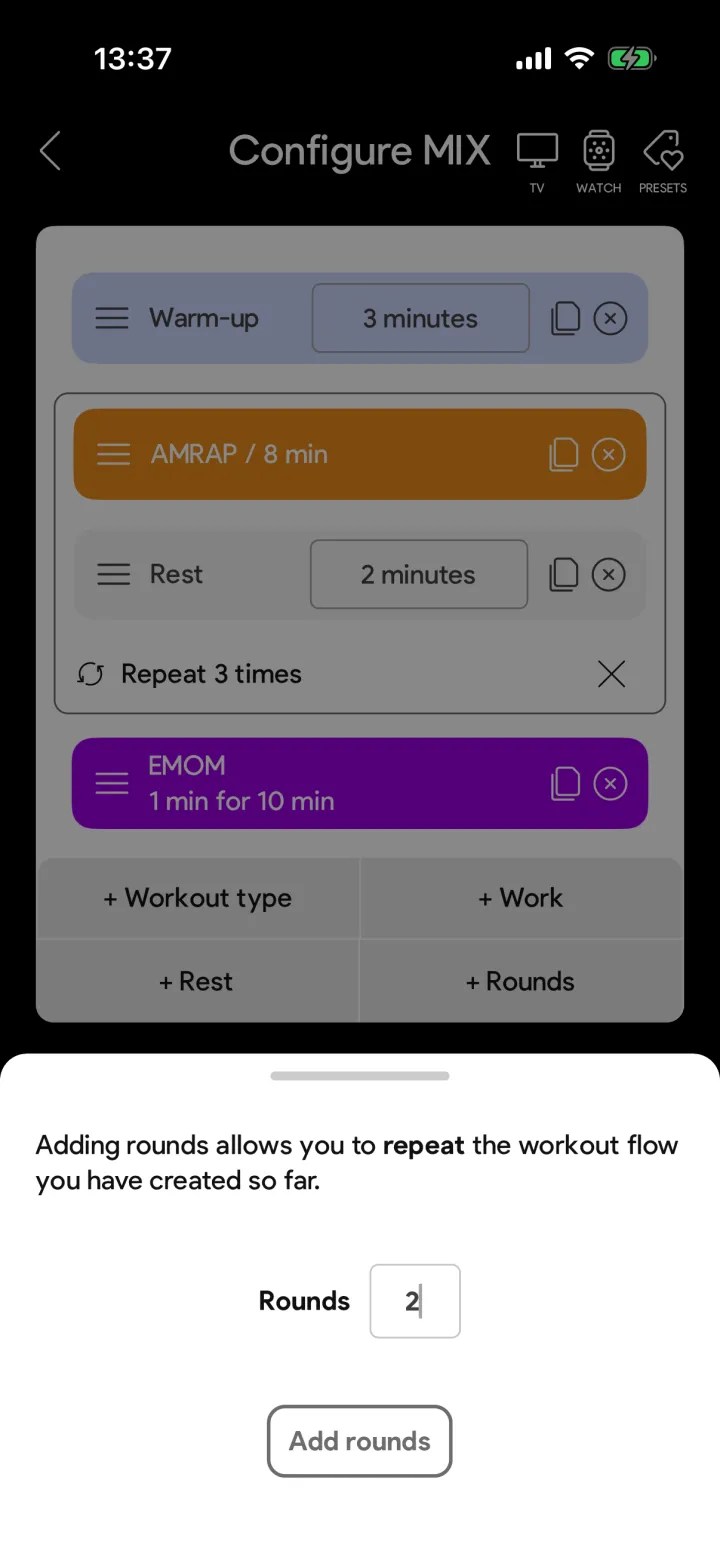
Tap + Rounds and enter how often the flow should repeat. Three rounds of AMRAP plus rest is two blocks and a round marker — not six blocks.
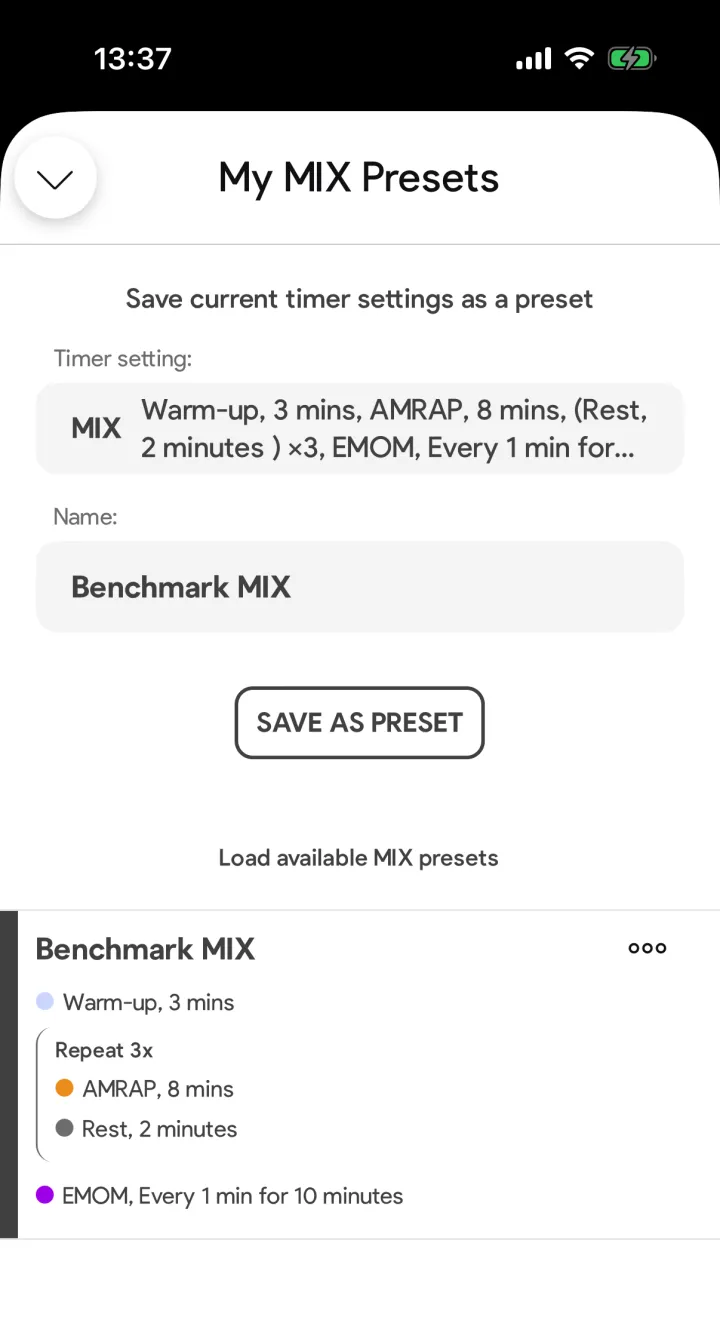
5. Save it as a preset
Tap the preset icon in the top right, name your workout and save it. Next week you load the whole flow in two taps instead of building it again.
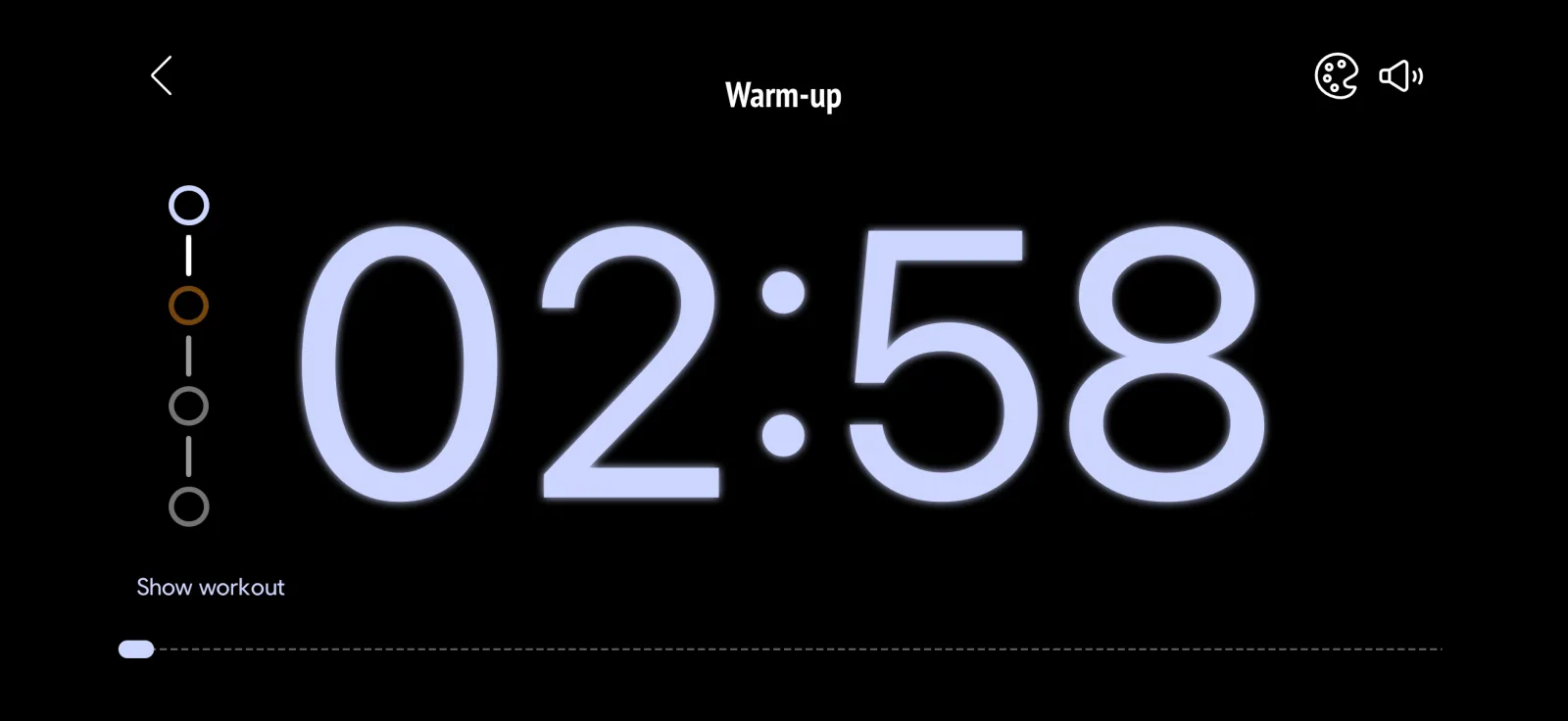
Start the workout
Hit start and the app runs the whole flow: it counts every block down, announces the switch, and shows what is coming next. Tap show workout to see the full flow while the timer runs — and if your gym has a screen, the Box Timer puts the same workout on the TV.
FAQ
Is the MIX timer free?
The MIX timer is part of SmartWOD Premium. You can build and run one MIX workout for free to try the whole feature before you subscribe.
Which timer types can I combine in one MIX workout?
AMRAP, EMOM, TABATA and FOR TIME, plus plain work and rest periods with your own label. Any section of the flow can be repeated with rounds.
Can I reuse a MIX workout?
Yes. Save the flow as a preset and load it again in two taps. While you build, the copy icon duplicates a block with all its settings instead of you entering it twice.
Can I show a MIX workout on the gym TV?
Yes. TV Cast works with MIX workouts too: cast to a Chromecast or Google TV, or mirror your screen, and the whole class follows the flow on the big screen.